Data Wrangling: XYZ and CIF Files
Rheedium supports multiple crystallographic file formats for input data. This guide covers parsing pipelines, coordinate transformations, and the data flow from files to simulation-ready structures.
Supported Formats
Format |
Extension |
Use Case |
Key Features |
|---|---|---|---|
XYZ |
|
Molecular dynamics, DFT output |
Simple, widely supported |
Extended XYZ |
|
ASE output, periodic systems |
Lattice vectors, properties |
CIF |
|
Crystallography databases |
Symmetry operations, space groups |
POSCAR/CONTCAR |
|
VASP input/output |
DFT calculations |
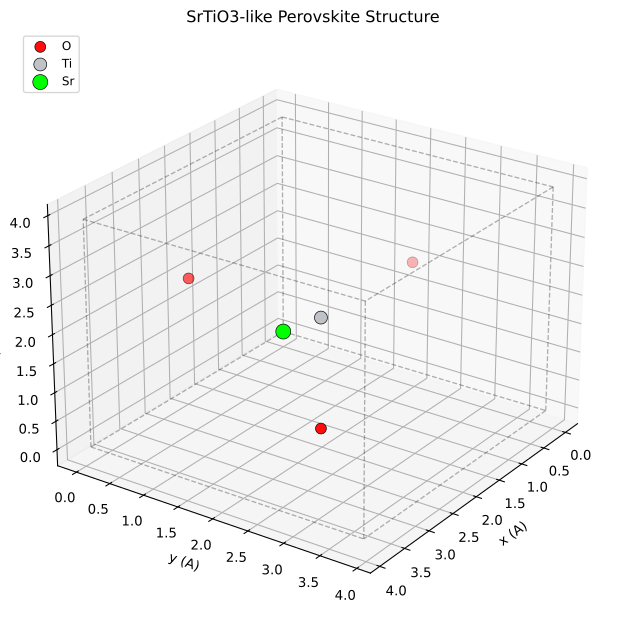
Example crystal structure showing atomic positions within a unit cell. Rheedium parses these structures from various file formats and converts them to a unified CrystalStructure representation.
XYZ File Format
Standard XYZ
The basic XYZ format is minimal:
N
Comment line
Element1  x1  y1  z1
Element2  x2  y2  z2
...
Where:
Line 1: Number of atoms \(N\)
Line 2: Comment (often contains metadata)
Lines 3+: Element symbol and Cartesian coordinates (Å)
Extended XYZ (ASE Format)
The extended format embeds metadata in the comment line:
8
Lattice="5.43 0.0 0.0 0.0 5.43 0.0 0.0 0.0 5.43" Properties=species:S:1:pos:R:3 energy=-123.45
Si  0.000  0.000  0.000
Si  1.358  1.358  1.358
...
Recognized metadata fields:
Field |
Format |
Description |
|---|---|---|
|
9 space-separated floats |
Lattice vectors as a flattened 3×3 matrix |
|
float |
Total energy (eV) |
|
9 floats |
Stress tensor (eV/ų) |
|
descriptor string |
Column definitions |
Parsing XYZ Files
from rheedium.inout import parse_xyz

# Parse an XYZ file
xyz_data = parse_xyz("structure.xyz")

# Access atomic data
positions = xyz_data.positions      # Float[Array, "N 3"]
atomic_numbers = xyz_data.atomic_numbers  # Int[Array, "N"]

# Access optional metadata (may be None)
lattice = xyz_data.lattice          # Float[Array, "3 3"] or None
energy = xyz_data.energy            # float or None
XYZData Structure
The XYZData PyTree contains:
@register_pytree_node_class
class XYZData(NamedTuple):
    positions: Float[Array, "N 3"]        # Cartesian coordinates (Å)
    atomic_numbers: Int[Array, "N"]       # Atomic Z values
    lattice: Optional[Float[Array, "3 3"]]  # Lattice vectors (Å)
    stress: Optional[Float[Array, "3 3"]]   # Stress tensor
    energy: Optional[float]                 # Total energy
    properties: Optional[List[Dict]]        # Extended properties
    comment: Optional[str]                  # Raw comment line
CIF File Format
CIF (Crystallographic Information File) is the standard for crystallographic databases.
Key CIF Fields
data_SrTiO3
_cell_length_a    3.905
_cell_length_b    3.905
_cell_length_c    3.905
_cell_angle_alpha 90.0
_cell_angle_beta  90.0
_cell_angle_gamma 90.0

loop_
_atom_site_label
_atom_site_type_symbol
_atom_site_fract_x
_atom_site_fract_y
_atom_site_fract_z
Sr1  Sr  0.5  0.5  0.5
Ti1  Ti  0.0  0.0  0.0
O1   O   0.5  0.0  0.0
O2   O   0.0  0.5  0.0
O3   O   0.0  0.0  0.5

loop_
_symmetry_equiv_pos_as_xyz
x,y,z
-x,-y,z
...
Cell Parameters
CIF Field |
Symbol |
Units |
|---|---|---|
|
\(a\) |
Å |
|
\(b\) |
Å |
|
\(c\) |
Å |
|
\(\alpha\) |
degrees |
|
\(\beta\) |
degrees |
|
\(\gamma\) |
degrees |
Atomic Positions
CIF files typically use fractional coordinates (0 to 1):
These are converted to Cartesian via:
Symmetry Operations
CIF files often specify only the asymmetric unit plus symmetry operations. Common operations include:
Operation |
Meaning |
|---|---|
|
Identity |
|
2-fold rotation about z |
|
Translation by (½, ½, 0) |
|
4-fold rotation about z |
Parsing CIF Files
from rheedium.inout import parse_cif

# Parse with automatic symmetry expansion
crystal = parse_cif("structure.cif")

# Access structure data
frac_positions = crystal.frac_positions  # Float[Array, "N 4"]
cart_positions = crystal.cart_positions  # Float[Array, "N 4"]
cell_lengths = crystal.cell_lengths      # Float[Array, "3"]
cell_angles = crystal.cell_angles        # Float[Array, "3"]
Note: Position arrays have shape [N, 4] where the 4th column is atomic number.
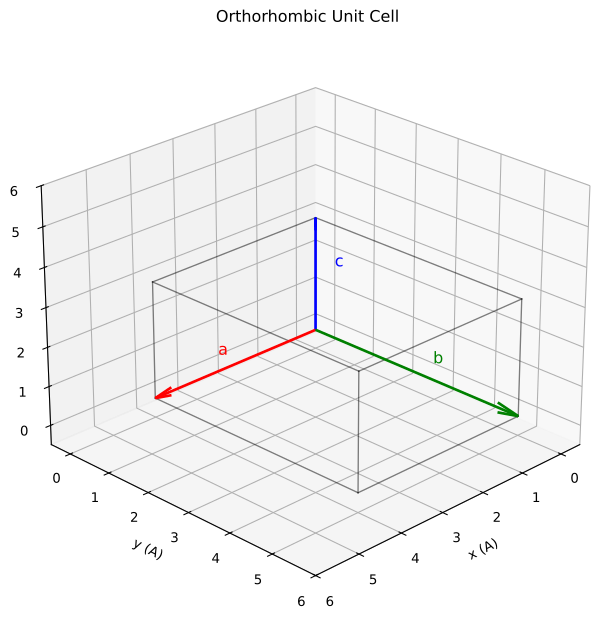
Unit cell showing the relationship between cell parameters \((a, b, c, \alpha, \beta, \gamma)\) and the lattice vectors. CIF files specify these parameters which rheedium uses to construct the full 3D lattice.
Symmetry Expansion
Rheedium automatically expands asymmetric units to complete unit cells.
Algorithm
Parse symmetry operations from
_symmetry_equiv_pos_as_xyzApply each operation to each atom in the asymmetric unit
Wrap positions to [0, 1) range (modulo 1)
Deduplicate atoms within tolerance (default 0.5 Å)
Example
For a perovskite with 5 atoms in the asymmetric unit and 48 symmetry operations:
Initial: 5 atoms
After symmetry: 5 × 48 = 240 positions
After deduplication: ~5 unique atoms (symmetric positions collapse)
Manual Control
from rheedium.inout.cif import parse_cif, symmetry_expansion

# Parse without symmetry expansion
crystal_asymm = parse_cif("structure.cif", expand_symmetry=False)

# Manually expand with custom tolerance
crystal_full = symmetry_expansion(
    crystal_asymm,
    tolerance_ang=0.3,  # Stricter deduplication
)
Coordinate Transformations
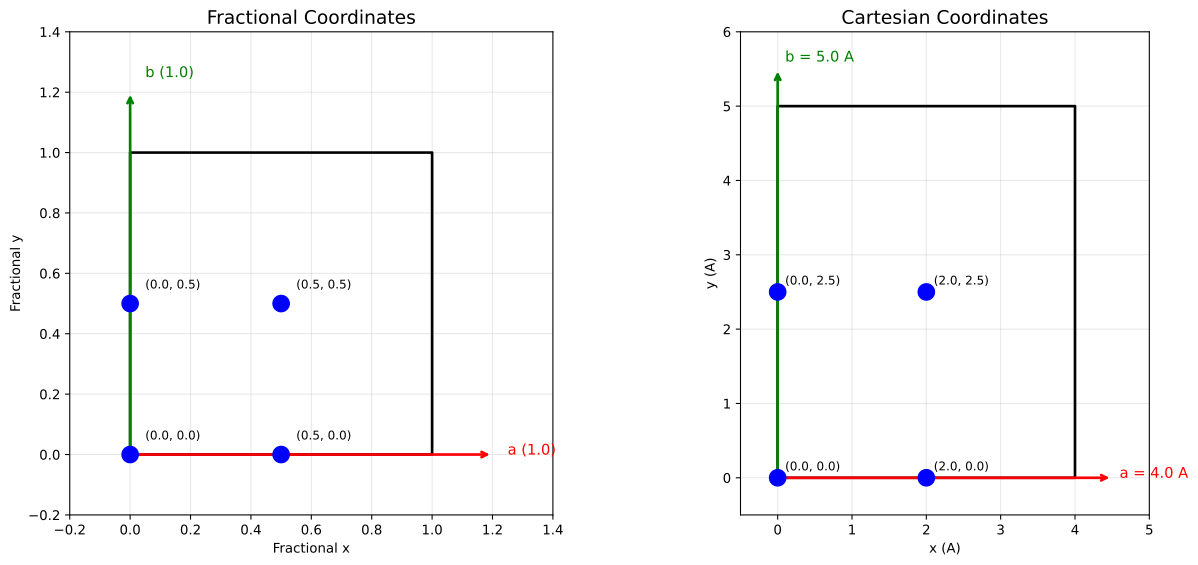
Comparison of fractional and Cartesian coordinate systems. Fractional coordinates express positions as fractions of lattice vectors, while Cartesian coordinates use absolute distances.
Fractional to Cartesian
where \(\mathbf{L}\) is the lattice matrix with vectors as rows:
Cartesian to Fractional
Implementation
import jax.numpy as jnp
from rheedium.ucell import build_cell_vectors

# Build lattice matrix from cell parameters
lattice = build_cell_vectors(
    a=5.43, b=5.43, c=5.43,
    alpha=90.0, beta=90.0, gamma=90.0,
)

# Transform coordinates
cart_coords = frac_coords @ lattice
frac_coords = cart_coords @ jnp.linalg.inv(lattice)
XYZ to Crystal Conversion
XYZ files may lack lattice information. Rheedium handles this with a priority system:
Priority Order
Explicit parameter:
cell_vectorsargument toxyz_to_crystal()XYZ metadata:
Lattice=in comment lineInferred from atoms: Bounding box + padding
Lattice Inference
When no lattice is specified, rheedium infers an orthorhombic cell:
with default padding of 2 Å.
Implementation
from rheedium.inout import parse_xyz, xyz_to_crystal

# Parse XYZ file
xyz_data = parse_xyz("molecule.xyz")

# Convert to crystal with explicit lattice
crystal = xyz_to_crystal(
    xyz_data,
    cell_vectors=my_lattice,  # Optional, overrides XYZ metadata
)

# Or let rheedium infer the lattice
crystal = xyz_to_crystal(xyz_data)
Unified Interface
The parse_crystal() function auto-detects format:
from rheedium.inout import parse_crystal

# Automatically routes to correct parser
crystal = parse_crystal("structure.cif")
crystal = parse_crystal("structure.xyz")
crystal = parse_crystal("POSCAR")
CrystalStructure PyTree
All parsers ultimately produce a CrystalStructure:
@register_pytree_node_class
class CrystalStructure(NamedTuple):
    frac_positions: Float[Array, "N 4"]  # [x_frac, y_frac, z_frac, Z]
    cart_positions: Float[Array, "N 4"]  # [x_cart, y_cart, z_cart, Z]
    cell_lengths: Float[Array, "3"]      # [a, b, c] in Å
    cell_angles: Float[Array, "3"]       # [α, β, γ] in degrees
The dual coordinate representation enables:
Direct access to both systems without recomputation
Consistency checking between representations
Flexibility for different algorithmic needs
Data Flow Diagram
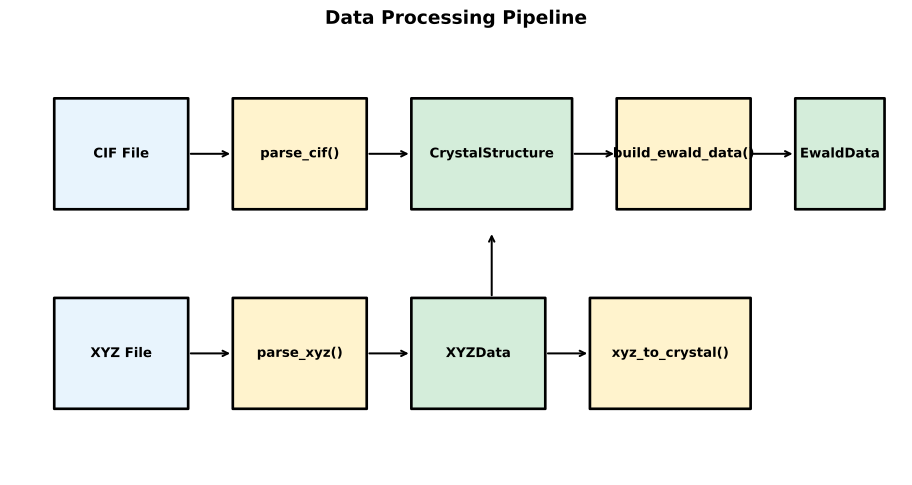
Data processing pipeline from input files (XYZ, CIF, POSCAR) through parsing functions to CrystalStructure and finally to RHEED simulation.
POSCAR/CONTCAR Support
VASP users can directly import structures:
Si8
1.0
   5.430000   0.000000   0.000000
   0.000000   5.430000   0.000000
   0.000000   0.000000   5.430000
Si
8
Direct
   0.000   0.000   0.000
   0.500   0.500   0.000
   ...
from rheedium.inout import parse_poscar

crystal = parse_poscar("POSCAR")
Element Lookup
Rheedium includes an atomic symbol → number lookup table (luggage/atom_numbers.json):
from rheedium.inout.xyz import atomic_number_from_symbol

z = atomic_number_from_symbol("Si")  # Returns 14
z = atomic_number_from_symbol("si")  # Case-insensitive, returns 14
This enables parsing files with element symbols rather than atomic numbers.
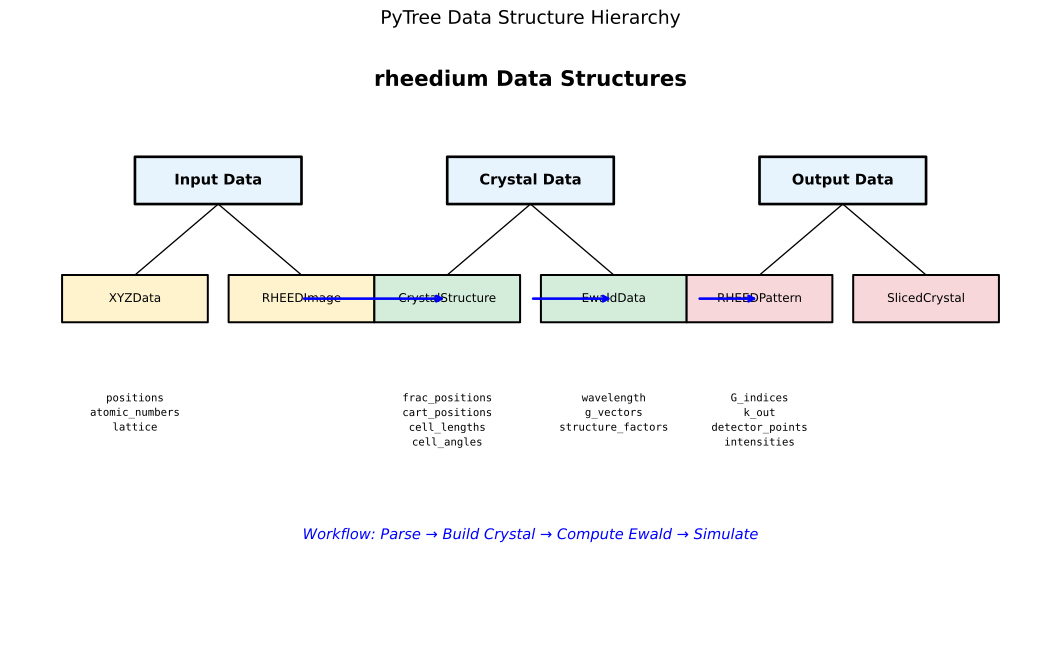
Hierarchy of data structures in rheedium. Input files are parsed into intermediate structures (XYZData, etc.) then converted to CrystalStructure, which feeds into the simulation pipeline producing RHEEDPattern output.
Key Source Files
inout/xyz.py- XYZ parsinginout/cif.py- CIF parsing and symmetry expansioninout/crystal.py- Unified interface, XYZ→Crystal conversioninout/poscar.py- VASP format supportucell/unitcell.py- Cell vector constructioninout/luggage/atom_numbers.json- Element lookup table